Drums
-
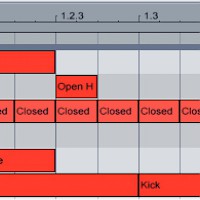
MIDI Drum Patterns for EDM
Programming beats using MIDI with Ableton Drum Rack (or any other drum machine) gives you a degree of customization and flexibility that using pre-fab loops can’t match. When you’re starting to produce in a new genre, though, it can be difficult to figure out exactly where each drum hit should go.
Read More -
The Best Drum Sample Packs for EDM (Part 1)
There are probably millions if not billions of drum samples that you can download and drop into your DAW’s drum machine. The depth and availability of these sounds is amazing, but it makes sorting through the billions of samples to find the best ones a bit tough. Here are, in our opinion, five of the best drum sample packs for producing house, drum ‘n’ bass, electrohouse, hip-hop, and trance.
Read More -
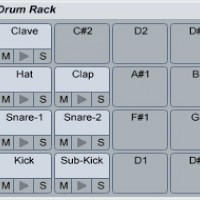
Make a Moombahton Beat
Programming a moombahton drum pattern in Ableton Live is somewhat similar to making a house beat — but with some significant differences. To create its swinging, funky vibe, moombahton uses more syncopated and off-beat percussion than house usually does.
Read More -
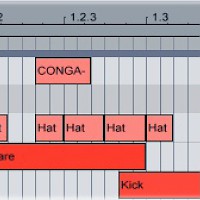
Using Triplets in Beats
The elements of electronic music are generally divisible by four: four kicks per bar, eight bars per loop, sixteen notes in a melody. To add interest to your beats, break up the 4/4 using triplet drums. A triplet jams three notes into a space that should only be occupied by two.
Read More -
Doubling Drums
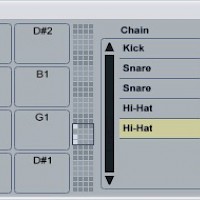
Using two copies of the same drum sample in a beat makes the drums sound bigger and fuller. Load up a kick, snare and hi-hat into Ableton’s Drum Rack, then open the Rack’s “Chains” section. Right-click the snare drum in the list of chains and select “Duplicate.” Do the same for the hi-hat.
Read More -
Make a Drum & Bass Beat
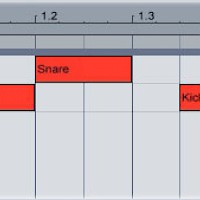
Set Ableton’s tempo to around 175 bpm. Open Drum Rack and load up a kick and snare. Create a new MIDI clip, then put the kick on 1 and 1.3.3. Put a snare on 1.2 and 1.4. This rhythm is the basis of the drum ‘n’ bass beat. Load up three hi-hat samples: one short closed hi-hat and two longer open hi-hats.
Read More -
Using Drum Loops
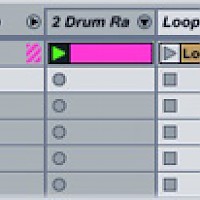
Adding a drum loop on top of a programmed MIDI beat is a quick way to give it a more fluid, natural sound. Think of the MIDI clip as the base of the beat, and the loop as the ornamentation. Unfortunately, Drum Rack and Impulse can’t warp samples, so unless the loop that you’re using was recorded at the same tempo as the track you’re making (and is perfectly in time), you’ll need to add it to a separate audio track.
Read More -
How to Synthesize Drums
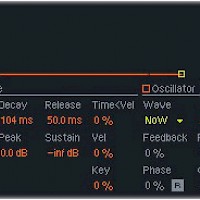
Samples make creating beats quick and easy, but knowing how to synthesize your own kicks, snares and hi-hats will give you a better understanding of how drum sounds work. Start up Ableton’s Operator synth, then create a new MIDI clip. Add a note on each quarter beat. It doesn’t matter which note you use: you’ll be setting the pitch using the synthesizer itself.
Read More -
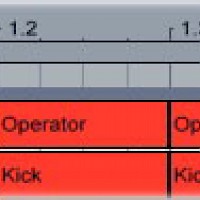
How to Make Sub-Kicks
If the kick sample you’re using isn’t beefy enough, layer it with a low-pitched synthesized sub-kick. The sub-kick adds bass without overly changing the tonal character of the kick.
Read More -
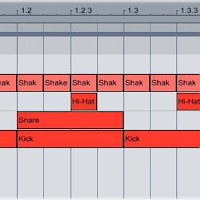
How to Make a House Beat
Open Drum Rack on a MIDI track, then set the global BPM to about 125. Load up a kick, snare, hi-hat, shaker, crash cymbal and ride cymbal. Turn all of the samples’ velocity controls up. Create a new MIDI clip, then put a kick on 1, 1.2, 1.3 and 1.4. Put the snare sample on 1.2 and 1.4. Program the hi-hat on 1.1.3, 1.2.3, 1.3.3 and 1.4.3. Add a shaker on every sixteenth note.
Read More -
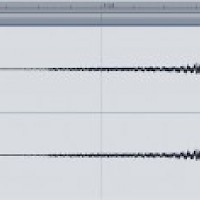
Reverse Snares
Load a snare sample into Drum Rack. Load another copy of the same sample onto an empty audio channel. Double-click the sample on the audio channel, then click the “Rev.” button. Ableton will reverse the sample. The reversed sample is an irregular length, which is going to make it hard to use in a MIDI loop. To fix this, click the “Warp” button to warp the clip, then drag the trim…
Read More -
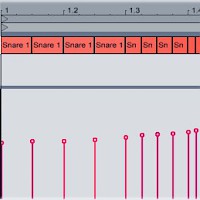
Snare Rolls
It’s been around forever, but the snare roll is still a dancefloor-devastating way to lead out of the breakdown and back into the beat. If your snare roll sounds too robotic and programmed, use MIDI velocity control to make it sound more natural. Program in a basic snare roll (four eighth notes, followed by four sixteenth notes, then eight 32nd notes).
Read More